
Macros
A macro is a saved sequence of steps, for example "abort the running deploy, redeploy to prod, approve the input, wait for green". Build them in the TUI, then run them from there or from a shell.
Creating one
m opens the macro list. n starts a new macro: type its name, then enter.
In the editor:
| Key | Action |
|---|---|
| a | Add a step: choose its type, then its job, with the same fuzzy search as / |
| enter | On a build step: edit its parameters. On a wait or input step: its timeout |
| t | Set a wait or input step's timeout, in minutes |
| space | On an input step: switch between proceed and abort |
| J/K | Move the step down or up |
| d | Delete the step |
| r | Rename the macro |
| ctrl+s | Save |
| esc | Close (asks before discarding changes) |
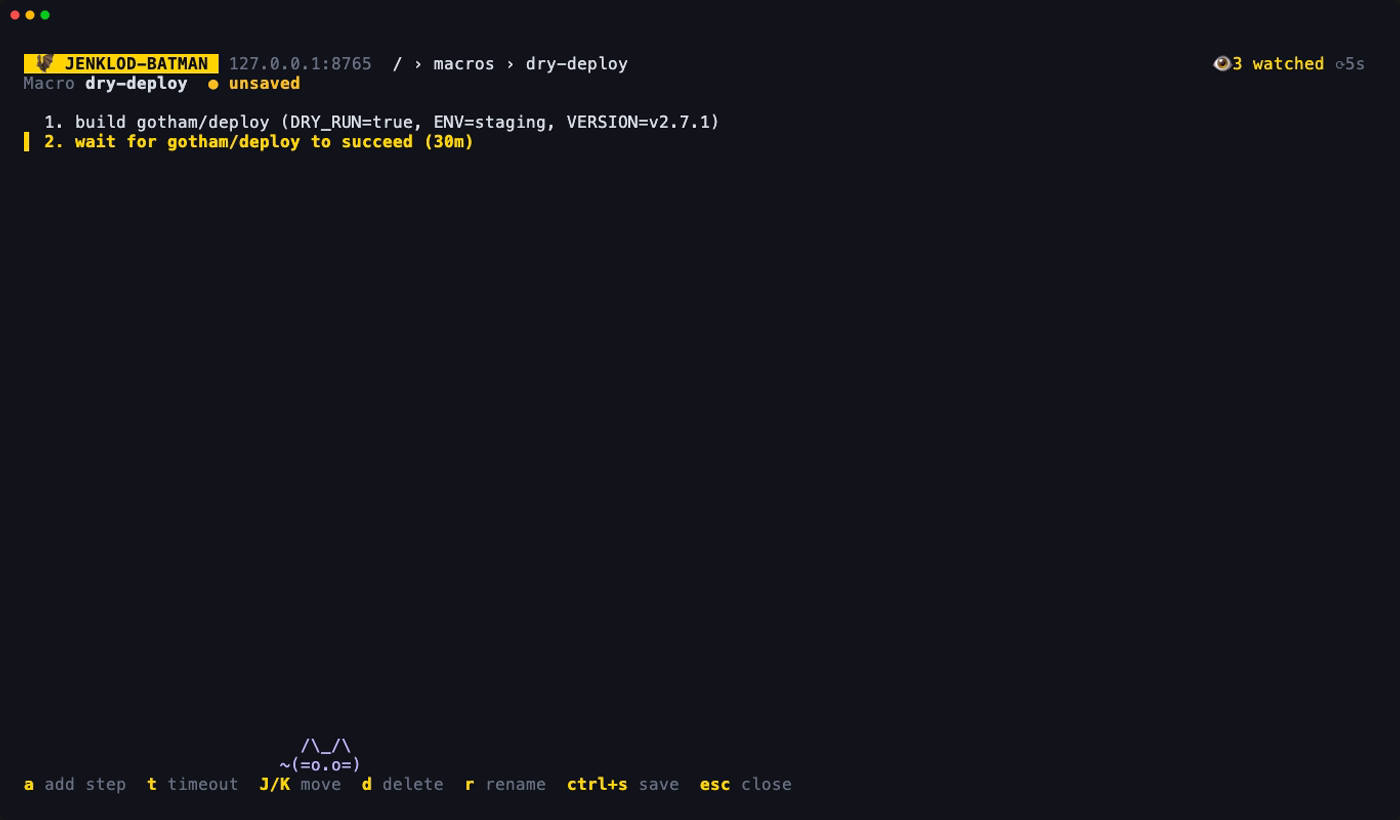
Names can't contain spaces or =, since you type them on the command line.
Steps
| Step | What it does |
|---|---|
| build | Triggers the job with saved parameter values, filled in through the job's own parameter form. |
| abort | Aborts the job's running build. |
| wait | Waits for the build to finish, and fails unless it succeeded. The timeout is per step, 30 minutes by default. A timeout leaves the build running. |
| input | Proceeds with the input step's default values, or aborts it. |
Which build a step acts on
Abort, wait and input act on the build an earlier build step of the same macro started, found by following the queue item Jenkins returned. If there isn't one, they use the job's newest running build.
An input step behaves differently in the two cases:
- After a build step on the same job, it waits for the pipeline to reach the input, up to the timeout. It fails if the build ends without asking.
- Otherwise, it checks once. If nothing is running, or nothing is waiting, it's skipped and the macro goes on.
Failures
The macro stops at the first step that fails: a failed build, nothing to abort, a timeout, or a Jenkins error. The message says which step failed.
Password parameters are never saved
Saving them would put a secret in config.toml in clear text. The form leaves them out, and Jenkins uses their default value.
Running in the TUI
On the macro list, enter shows the steps and asks y/n. The macro then runs in the background while you keep browsing:
- the header shows
▶ name 2/4, - the status line reports each step,
- m shows the step-by-step log.
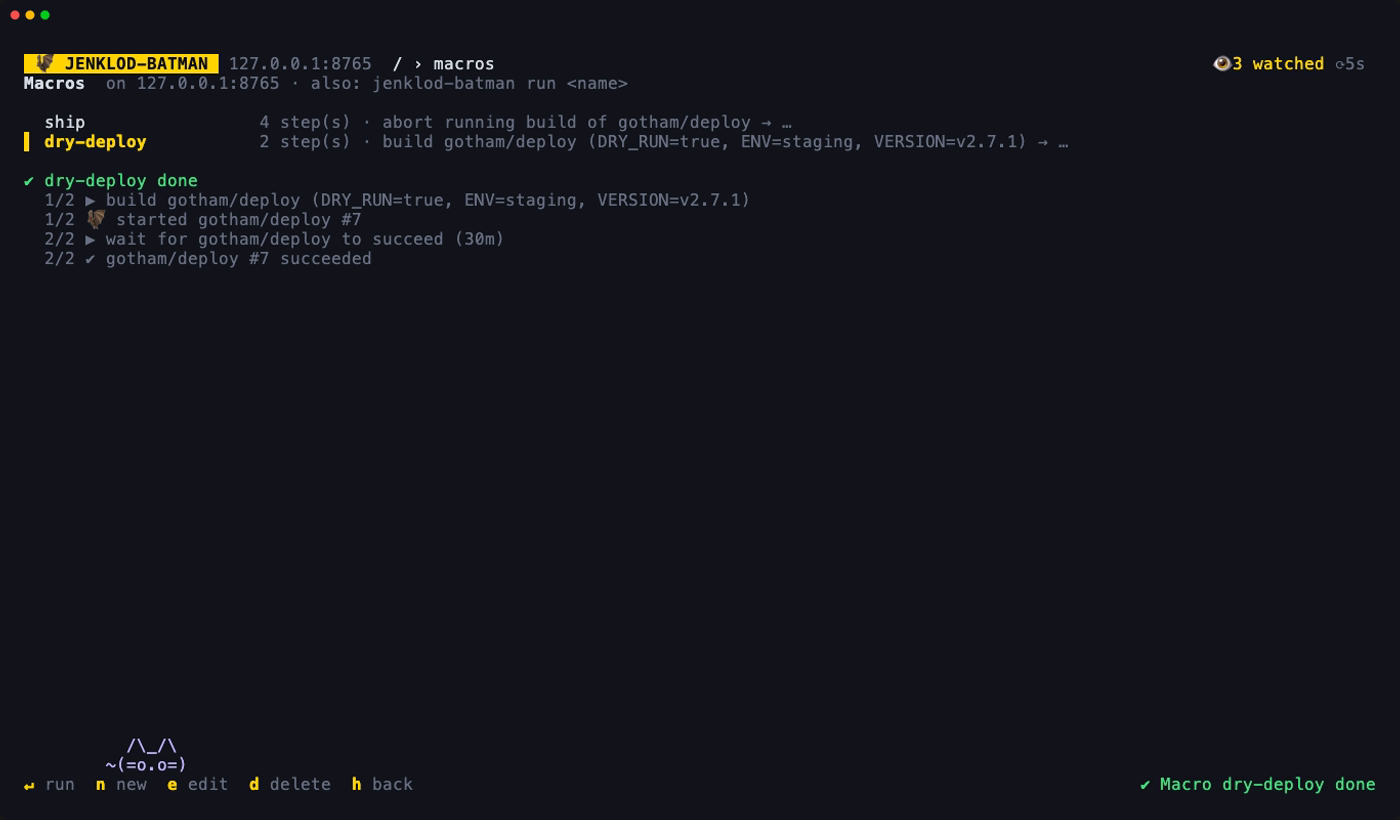
c cancels the run. It stops before the next step, and builds already started keep running. One macro runs at a time.
Running from a shell
jenklod-batman run --list                # list the macros for the configured Jenkins
jenklod-batman run ship                  # show the steps, ask y/n, run
jenklod-batman run ship ENV=prod -y # override a parameter, don't askKEY=VALUEreplaces that parameter in every build step that has it. A key that no step uses is an error, reported before anything runs.- On a terminal it asks first. With
-y, or without a terminal (cron, CI), it runs straight away. - The exit code is non-zero if a step fails. ctrl+c stops it, and builds already started keep running.
All options are in Command line. How macros are stored is in config.toml.